

I Forgot to Remember my Password
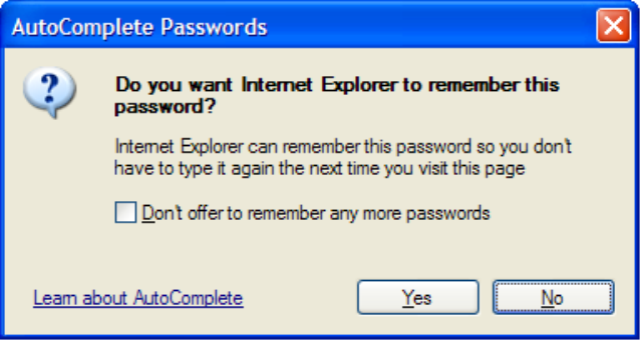 Y'know how Internet Explorer can prompt you to remember the username and password you entered when logging into a site?
Have you ever, for one reason or another, clicked "No" to that prompt, and from then on had to manually type in your password every time you visited that site? I did that recently when I signed into Google Adsense and it's been bugging me for a week.
Today I found out how to get IE to prompt you one more time, so you get a second chance to save your password.
- Click into the "username" textbox and hit the down-arrow key to drop down the list of remembered usernames.
- Arrow down to the username whose password you didn't save, and hit the "delete" key to remove it from the list.
Simple as that! Now that the username is no longer being remembered, the next time you type in that username and its password, IE will prompt you to save it!
Comments
# Heather
25/10/2006 8:04 PM
Any suggestions for how to get it to prompt me for Gmail?
# mabster
25/10/2006 8:40 PM
It should be exactly the same thing, Heather. Delete your username from the list and re-type it so IE thinks you're typing it for the first time.
# Paul Ryan
21/11/2006 8:15 PM
Thanks for th remember password info. Searched for ages on the internet looking for how to turn this option back on - most sites go into the autocomplete option - this does not work. Your simple answer was a simple solution to a simple problem.
Thanks heaps!
Regards
P.
# mabster
21/11/2006 9:46 PM
Glad I could help, Paul! I figured someone else would find this handy when I discovered it!
# Dutch
28/04/2007 12:56 AM
Thanks a bunch -- had searched high and low on how to do this. Only hit tons of links about how to enable it the *first* but hadnt seen any discussions on how to have IE reconsider it on subsequent times.
# Emily
24/04/2008 8:34 AM
When I log into something, when I hit the username and the down arrow, it doesn't show the remebered usernames...what do I do?
# Garaad
3/06/2008 12:05 AM
Hello, I missed my password and i cant remember. when I put it says put your age and postal code, however i can't remeber all of those, tell me and help me,