Mad Props!

Omniscience is just a Google-search away.

Login

You're reading Mabsterama, the weblog of Matt Hamilton. Enjoy your stay.

SharePoint

Today I installed Beta 2 of Microsoft Office SharePoint Services 2007 on a test server here at work. Wow - this is deep. Obviously very powerful, and the few end-users to whom I've shown the wiki functionality have been blown away, so that's a good sign.

We intend on using SharePoint as a one-stop-shop for our Intranet - documents, discussions, news etc. We'll have to put a lot of thought into the structure of the "sites" and the permissions etc. I'll definitely be keeping an eye out for other people's ideas regarding SharePoint "best practices".

Anyway, early indications are positive. I'll keep playing with this installation and see how many users I can get excited about MOSS ... the more buzz the better.

Vista Screencasts

Keith Combs from Microsoft TechNet has been posting a series of interesting screencasts about Windows Vista to his blog. If you haven't had much exposure to Vista's UI or feature-set, these are well worth checking out.

Tiny Windows Live Writer Suggestion

Something *really* trivial that I'd like implemented in Windows Live Writer:

In my technically-oriented posts I quite often include some code snippets, and I like to syntax-highlight the code by colouring keywords etc. I've tried Steve Dunn's Code Formatter Plugin for WLW, and it's pretty cool - it automatically colours all sorts of code. However, it won't colour class names (and honestly I don't know how it would), so it's not always exactly what I need. So in most cases I'll highlight the code manually.

Anyway, here's my request. There's a "Font Color" button in the toolbar, which pops open a colour dialog to change the colour of the selected text. I would love if that button was a split button, which remembered the last colour you had chosen. Then I could pick "blue" and quickly colour all the keywords in my post, then switch to "teal" and colour all the type names etc.

A small thing, but it would definitely speed up my code-highlighting experience.

I'll keep an eye on Steve's plugin, though - it is pretty useful.

Parsing Numeric Strings with System.Globalization.NumberStyles

Ok, I admit that I'm probably the last .NET developer on earth to learn about this, but just in case I'm not I thought I'd better blog about it.

A program I have here at work needed to be able to read text from the clipboard. The text should be a list of dollar-values, and because it was most-likely copied from Excel its formatting could easily contain dollar signs and commas, and even leading or traliing spaces (eg "$2,517.32  "). So I needed to be able to parse a string like that into a Double value.

Up until today I've been cheating, using code like this:

    string s = "$2,517.32 ";
    s = s.Replace("$", "").Replace(",", "").Trim();
    double d = double.Parse(s); 

Pretty awkward, but it has done the trick.

Anyway, today I found out about the System.Globalization.NumberStyles enumeration. This is a great little enum that you can pass as a parameter to "Parse" which gives it some hints about what to expect in the incoming string. By combining values like NumberStyles.AllowCurrencySymbol and NumberStyles.AllowThousands, you can have the Parse method ignore specific symbols. Better still, they're culture-specific, so if you're in the UK and use the pound-sign as your currency symbol, it'll take that into account.

NumberStyles even has some predefined values like NumberStyles.Float and NumberStyles.Integer, which combine several settings into one.

So my newly-revised code looks something like this:

    string s = "$2,517.32 ";
    double d = double.Parse(s, System.Globalization.NumberStyles.Currency); 

Et voila! Pretty neat, huh?

Model / View / Presenter

Over the weekend I did a lot of reading about the Model/View/Presenter development paradigm, and tried my hand at a few coding examples.

The idea behind MVP is that you take all the logic that would normally tie your user interface (the View) to your data (things like populating TextBox controls, or validating user input) and move it back into a class of its own (the Presenter). This means that your UI (Forms, UserControls etc) becomes very "thin", and can easily be swapped out for some other design.

Since the logic of the program isn't tied up in the UI, MVP also makes it easy to design a test framework to make sure your business logic is sound.

In a way, it's almost like MVP is a replacement for data binding. It's a little more code, but could be worth the effort in the long run.

The example I was playing with at home was a way to view a "folder" in Comicster. A folder only has two properties - an ID (a Guid) and a Name (a string), so it's a pretty simple thing to view on the screen. I started by creating a simple class to represent the folder:

public class Folder { public Folder() : this(Guid.NewGuid()) { } public Folder(Guid id) { _id = id _name = "New Folder"; } private Guid _id; private string _name; public Guid ID { get { return _id; } set { _id = value; } } public string Name { get { return _name; } set { _name = value; } } } 

So now I had a "model" to work with. In reality this would probably be a FoldersDataRow - a row from the Folders table in my typed DataSet.

Next I had to create the interface that my "view" would implement. Again, the idea of MVP is that the view is pretty dumb and easily replaceable, so it shouldn't need to know too much about the implementation of other parts of the program. The view interface, then, just needs to look like this:

public interface IFolderView { Guid ID { get; set; } string Name { get; set; } event EventHandler Update; } 

I've included an "Update" event in that interface so that the UI has some way of notifying the presenter that the user wants to update the folder. For example, the user has changed the folder name TextBox and clicked the OK button.

Next I need to create a form that implements this interface, so that the presenter layer has something to talk to. I just whacked a TextBox and a Button on there and ended up with something like this:

public partial class FolderForm : Form, IFolderView { /* ... */ private void button1_Click(object sender, EventArgs e) { if (Update != null) { Update(this, e); DialogResult = DialogResult.OK; } } private Guid _id; public Guid ID { get { return _id; } set { _id = value; } } public string IFolder.Name { get { return textBox1.Text; } set { textBox1.Text = value; } } public event EventHandler Update; } 

This form, then, is just a dumb way of displaying the individual parts of a folder. It doesn't know anything about the "Folder" class (or FoldersDataRow, or whatever).

The last piece of the puzzle is the presenter - the class that takes a folder and tells the UI about it:

public class FolderPresenter { public FolderPresenter(Folder folder, IFolderView view) { _folder = folder; _view = view; _view.Update += UpdateFolder; } private Folder _folder; private IFolderView _view; public void Initialize() { _view.ID = _folder.ID; _view.Name = _folder.Name; } public void UpdateFolder(object sender, EventArgs e) { _folder.ID = _view.ID; _folder.Name = _view.Name; } } 

So this "FolderPresenter" class is constructed with an instance of a folder, and a way to view that folder. It can then populate the view with the details of the folder. The view doesn't have to know that the folder is represented in the model as a Folder class - it just has to know that the folder has an ID and a Name.

In our main form, then, where we have a folder and want to show the "edit folder" dialog, we do something along these lines:

 private void ShowFolder(Folder folder) { FolderForm f = new FolderForm(); FolderPresenter p = new FolderPresenter(folder, f); p.Initialize(); f.ShowDialog(); } 

And we're done!

Now, I still have some questions about this methodology. Like, what's the best way to present the user (the view) with a list of objects (a grid, for example)? And how much logic can I pull out of the view? For example, if I can edit or delete a folder, should I have a presenter that handles that, too? Maybe a "ViewFolderPresenter" which knows how to edit and delete a folder, and if you want to edit it it does the work of creating an "EditFolderPresenter" etc.

I will definitely kick on with the idea and see where it leads. It seems like a great way to build a UI using current technologies (Windows Forms or ASP.NET) and be able to swap in something more advanced (WPF or WPF/E) later on.

I recommend checking out Jean Paul Boodhoo's DNRTV episode on MVP, too. It was the first time I'd seen anything about the pattern.

Adobe Amok

Remember the great 1951 (or was it 1953? I was about -20 at the time) Warner Bros cartoon "Duck Amok", where Daffy Duck is taunted by the artist until he goes crazy and tears down the entire background?

That's what I was like yesterday. Except instead of Chuck Jones taunting me, it was Adobe.

I don't do a lot of PDF viewing, but every time I do I seem to get annoyed in some new way by Adobe's Acrobat viewer. The other day it prompted me (for the bajillionth time) to download two new updates. Caving, I let it do its thing. When it finally finished the first of the two updates, it prompted me to reboot, but I told it I'd reboot later.

Well, yesterday I rebooted. Now, if the Acrobat update program was written by pretty much any other software developer on the planet, that would have been enough. But guess what the first dialog to present itself to me after logging in was?

It was Adobe's update program, telling me that it couldn't apply the latest update until I'd rebooted.

It hadn't done a thing! Immediately after rebooting, it was prompting me to reboot!!!

Well, I went Daffy-Duck-Crazy. I jumped over to "Add or Remove Programs" and uninstalled anything with the word "Adobe" in the title. Then I opened up "C:\Program Files" and deleted the "Adobe" folder. Then I opened up Regedit and systematically deleted every registry key with "Adobe" in it.

I feel better for it.

So now I've downloaded Foxit PDF Reader, which everyone swears by, and I'm a better person because of it. Thanks, Foxit! And thanks to Adobe for showing me the light.

Windows Live Writer

As you know, I've played around recently with blogging from Word 2007, and it was pretty good. I had a few issues with it, one of which was that IE7b3 has broken ftp on my work PC, so I couldn't publish images at all, but in general it does the trick nicely.

One thing Word lacks in the blogging department, though, is the ability to hand-edit the HTML before you post. Word does a mighty fine job of converting your text into XHTML, but not everything is perfect, so it's nice to be able to tweak the code a little. Plus, it doesn't have the ability to add img tags to reference pictures on the web - something that I do quite often.

Anyway, the other day Microsoft released a new blogging tool - Windows Live Writer. I had a post that I'd already put together in Word but had not yet published (my "Book Meme" post below), so I installed WLW and gave it a try.

Turns out it rocks! It has HTML editing, plus the ability to insert an image given just the URL of the image (creating an img tag in your post)! One small thing that didn't work - it couldn't download the stylesheet for my blog. Not sure if that's because I run a custom blog theme or what. No biggie, though.

So I think I'll stick with WLW for now. Very pleased.

ps. Here's Dave's short review of the same product (with some screenshots). Looks like he was impressed too!

Diamond out of the Rough

Oh my god. How lucky are we?

Last Tuesday we got a phone call from the Hotel that we stayed at in Ballarat. One of their cleaners was doing the room we stayed in after someone else had stayed there and found what looked like a diamond!

The cleaner remembered us, and was honest enough to let the hotel management know that she'd found it, and yesterday it arrived via registered post!!! Sure looks like a diamond to me! We're taking to the jewellers tonight.

That just saved us $1130. You can bet I'm going to be sending them a present, and I'll probably end up writing to the local rag out there to thank them publically.

Anyway - it's the Best Western Lake Inn at Ballarat. I dunno how many readers ever plan on visiting Ballarat, but if you do - stay there.

A Book Meme!

Bully has (in a roundabout way) tagged me to take part in a meme about books and reading habits. I’m supposed to tag five people at the end of this, which I’ll do, but I only really expect one or two of them to actually take part. That’s ok.

  • One book that changed your life
    I guess I’d have to look at the first “grown-up” sci-fi book I ever read – Asimov’s Foundation series. I got ‘em all (Prelude through to Foundation and Earth at the time) for Christmas one year, having never read anything about them, and it really opened my eyes to what was possible in the genre. Big, galaxy-spanning stuff, but still touching on human issues. Just amazing.
  • One book you have read more than once
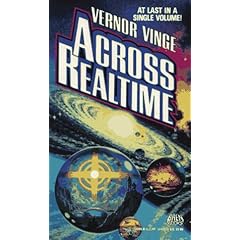
    There’s no way I could write a blog post like this and not mention Vernor Vinge, so I’ll have to say Across Realtime, which is a book encompassing two of his stories (The Peace War and Marooned in Realtime). A fantastic sci-fi read like so many of Vinge’s work.
  • One book you would want on a desert island
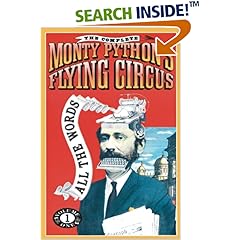
    I think having the Complete Scripts to Monty Python’s Flying Circus would be handy, if only to send me to the brink of insanity. It’s a great read, especially if you’ve seen the sketches.
  • One book that made you laugh
    It’s tempting to say The Hitchhiker’s Guide to the Galaxy here, but I’m not (oops – I just did). Instead, I’m going to go with Joseph Heller’s Catch 22. That was a hilarious read! Get a copy of it if you’ve never read it – you won’t be disappointed.
  • One book that made you cry
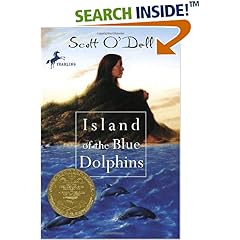
    I was pretty young at the time, but I remember reading Scott O’Dell’s The Island of the Blue Dolphins back in school, and it’s the only book I can remember crying whilst reading. I can’t even remember the story, or if it was that good, but I remember crying. Weird, huh?
  • One book you wish you had written
    I’ve never read it myself, but I wish I’d written the first book of the Harry Potter series (Harry Potter and the Philosopher’s Stone) purely for the royalties!
  • One book you wish had never been written
    Here’s a controversial one. Imagine where we’d been today if there was no bible (or its counterparts in other religions). It’d be a pretty different world.
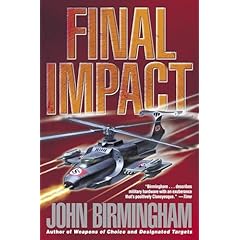
  • One book you are currently reading
    Right now I’m reading Final Impact, the third book in John Birmingham’s “Transition” series. It’s an absolutely awesome series about a science-experiment gone wrong that sends a fleet of warships from 2021 back to the middle of World War II. It could have been a very easy subject – the good guys get sent back with their advanced technology and kick Nazi butt – but Birmo made it more complex by having the bad guys get hold of some of the vessels, meaning that the Germans and Japanese have a bit of a head start, too, not to mention the Russians. Highly recommended.
  • One book you have been meaning to read
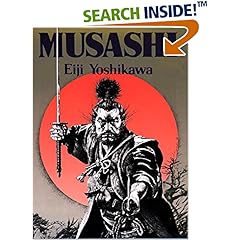
    I’m cheating a bit here, because I’ve read the first “book” in this series and have been meaning for many, many years to read the others: Musashi by Eiji Yoshikawa (translated by Charles S Terry). The first book was just awesome, so if the follow-ups can match it then it really should be #1 on my “to-read” list.
  • Now tag five people!
    See how you go: Crucible, Euan, Thumper, Pete and Dave!

Dead Rising Demo

Breaking news!

Dead Rising ScreenshotThe Dead Rising demo (now available in Australia on Xbox Live) is really fun!!!

So far I've killed zombies with a sledgehammer, a golf club, a shotgun, a scythe, a bowling ball, a cash register, a chair, a box of soft-drink cans, a bag of gems and a potted plant. I've also changed my clothes, my shoes, worn a hat, put on sunglasses and more!

Well worth a look. Can't wait 'til it's released out here (September 8 I think it is)!